0. Introduction #
As this year shapes up to be a year of Linux PC I wanted to share my endeavours of picking a Linux laptop that started a couple of months ago.
I have been using MBP as my daily driver for more than a decade at this point. While I had small detours to Linux before, it never really stuck. Not that it was bad or anything, the OS itself was good even 7 years ago(imo), but what always tripped me up were the machines that I had to run it on.
Looking at some of my colleagues who are running discrete GPU gAmInG laptops, my expectations were not exactly sky high this time around as well.
I did have some (unreasonable?) hardware requirements that I set for myself: the laptop of choice should have 64GB of RAM (I have started my search before the RAMacalypse) + it should run flagship AMD APU, Ryzen AI 9 HX 370(at the time of writing), or better.
In retrospect, even though, these specs were beyond what I would realistically need for my use cases, it helped to narrow down options quite a bit.
1. ThinkPad P14s #
Well, the first laptop that I’ve ordered was Lenovo ThinkPad T14s. After all, nothing screams “I use Linux btw” quite like the red dot on the black plastic chassis.
I really liked it aesthetically! A big plus, in my book, for ThinkPad is that it actually doesn’t try to be a Macbook Pro, aka generic grey aluminium chassis. The specs also looked exactly like what I wanted AND it had option to ship without preinstalled OS, which is great.
The keyboard was also quite nice, the touchpad was meh, but expectations for it were low to begin with.
BUT #
When I ordered it, my mind didn’t actually register that it came with 1080@60hz display. When I first opened a browser page I thought there was some Linux font aliasing bug. My brain just could not comprehend that a premium priced laptop can have such a shitty screen.
As it turned out, for some mysterious reason, Lenovo does not use their best displays on AMD machines, only on Intel ones.
After initial denial this has sealed the deal for me, so I returned it.
2. Tuxedo InfinityBook Pro 14 #
This was a bit of an obscure choice. Tuxedo is EU based company that sells branded Tongfang laptops.
It was quite appealing since they allow you to configure pretty much everything about the machine(RAM, CPU, keyboard layout, etc). They are also Linux-first vendor, which, at least on paper, meant that there would be no troubles with the laptop when it comes to the setup.
Another plus was the price, as I don’t think you can get anything with the comparable specs at this price point.
When the laptop arrived(with a ridiculous 128GB of RAM, mind you), it was okay. The screen was good, the overall build was fine, not Mac level, but, then again, I didn’t expect $4k build quality for $2k.
The troubles have started with the latest Linux kernel, whenever I updated to it, I got screen tearing issues, which no amount of kernel flags seemed to have solved. To be clear, I don’t think it was a hardware issue, rather an unfortunate constellation of amd driver version + specific hardware. Tuxedo support was quite responsive and helpful and I think the issue would have been solved if I installed their distribution of Linux, Tuxedo OS, but that would have banned me from saying that I run Arch btw, so I had to return the laptop.
3. An unlikely winner? #
My initial plan was that if I didn’t like the Tuxedo, I would order a Framework and call it a day. These were the laptops that inspired me to get into the whole Linux adventure in the first place.
But Sam Altman had a different idea.
The RAMpture has happened and Framework prices have come uncomfortably close to the prices of Macs and at this point I was ready to shamefully crawl back into the walled garden of Apple.
Somehow, I have stumbled upon the fact that AMD had another CPU offering - Halo Point, aka Ryzen Max. I decided to check the laptops that were offering these APUs and found that HP had a ZBook Ultra model that came with it, luckily it was also on sale!
My only experience with HP was from my teens, when I had my first laptop from them. Even by my adolescent standards that thing was hideous and that’s the only memory I have about it. Nonetheless, I have decided to give it a spin.
First impressions #
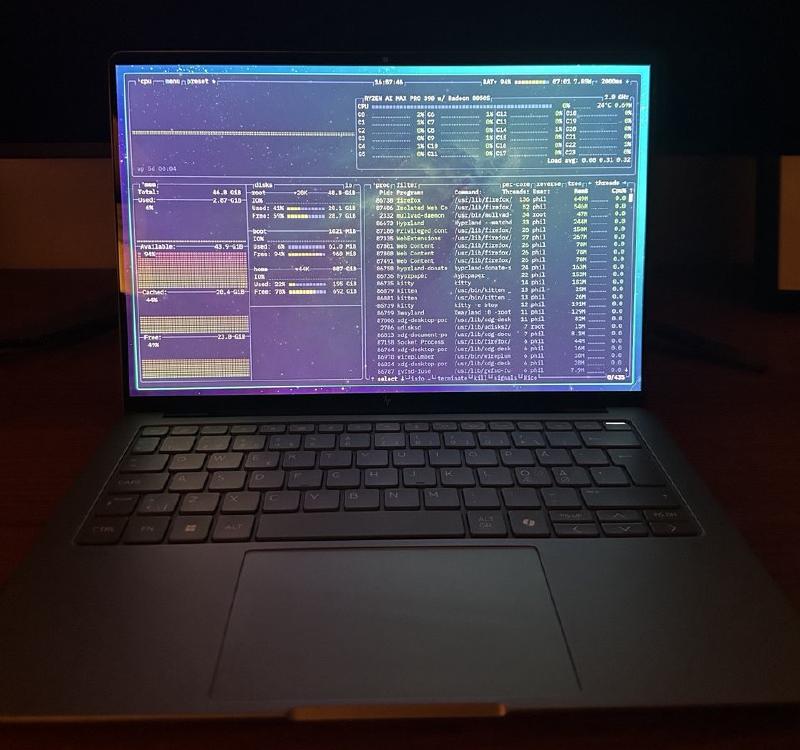
I will try not to shill it too hard, but this might be the first time I saw a laptop equal (and, sometimes, even better!) than the MBP in terms of the build quality.
The screen is beautiful QHD 120hz OLED that, in my opinion, looks better than what Macbook is offering today. The keyboard is great. Dare I even say that the trackpad is practically on par with what MBP has. It has a lot of ports, a touch screen and ability to turn camera / mic off in BIOS.
The setup #
Initial launch took more than an hour of Windows Microslop updates. No option to skip or to use an offline account. The hope was that it would update the firmware. It did not.
Finally rebooted and launched into HP BIOS to disable Secure Boot to start the installation process. I was a bit humbled by the HP BIOS. While I understand that some of the options make sense for IT admins, having your personal laptop say that it sent a request to the cloud was a bit concerning.
I hunted down everything that mentioned Microsoft in the BIOS and turned off most of the spyware it came with.
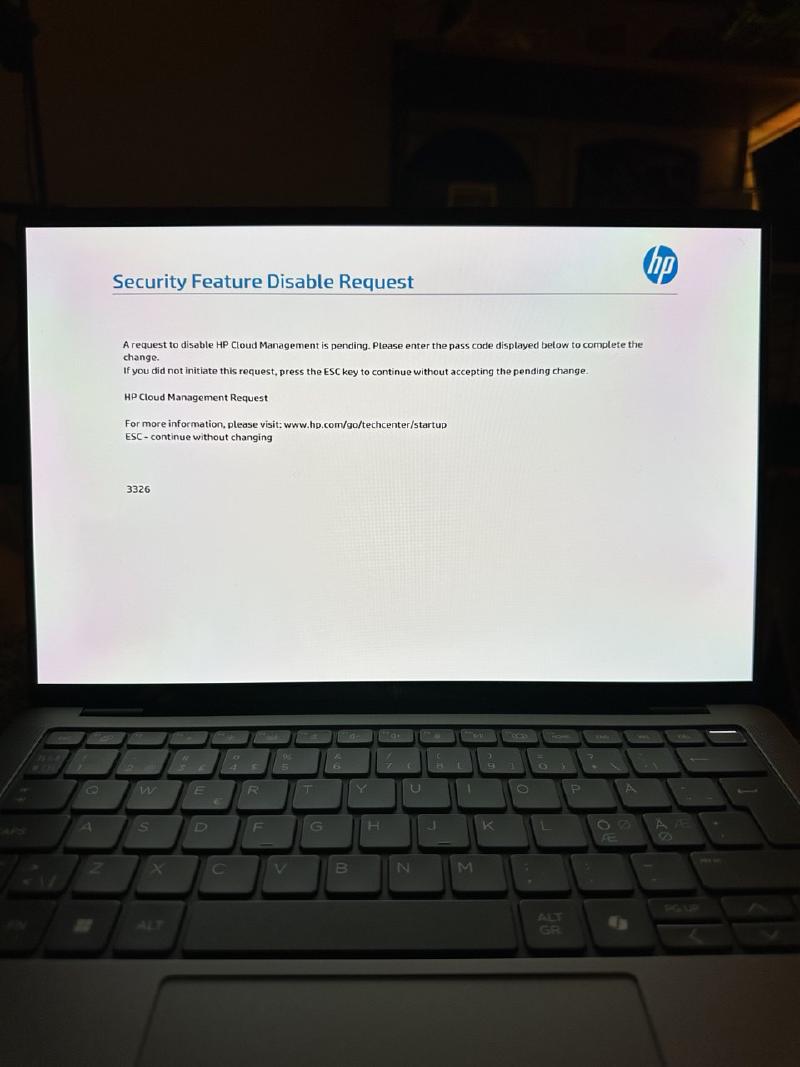
At some point I was wondering if I was one of those dwarves that delved too greedily and too deep in the Moria and if I turn one more surveillance flag off in the BIOS, I will get droned by Palantir.
Alas, I was able to make a reasonable setup in BIOS so rest of the installation was relatively uneventful. I had issues with laptop not waking up from suspend, so I had to return to the BIOS and after cooking an unholy constellation of kernel flags and BIOS flags it now works flawlessly. Or, well, I mean it’s not consistently broken :)
4. The experience so far #
It’s been almost two months now of me running my personal laptop with Linux. During this time I have barely opened my MBP and now I feel like my Linux HP is just strictly better in pretty much every aspect that matters to me.
One feature that I absolutely love is that I control how much memory goes to GPU. So when I am coding I can max out on RAM and when I am playing games or doing GPU intensive work, I can give it more memory.
The overall experience has been nothing short of amazing. It’s been long since I was truly excited about a laptop. I am running Gnome + Hyprland as desktop, all of my side project needs are covered and when I want to chill I can play games on Steam.
There is a certain aesthetic pleasure to the simplicity and control. It is refreshing and liberating to know what my machine is running, how it looks and when it updates, it does not try to show me latest stock prices or suddenly change the whole design language and add half-baked animations.
And this is what I like about my new machine the most. It might be wonky, but it is mine.